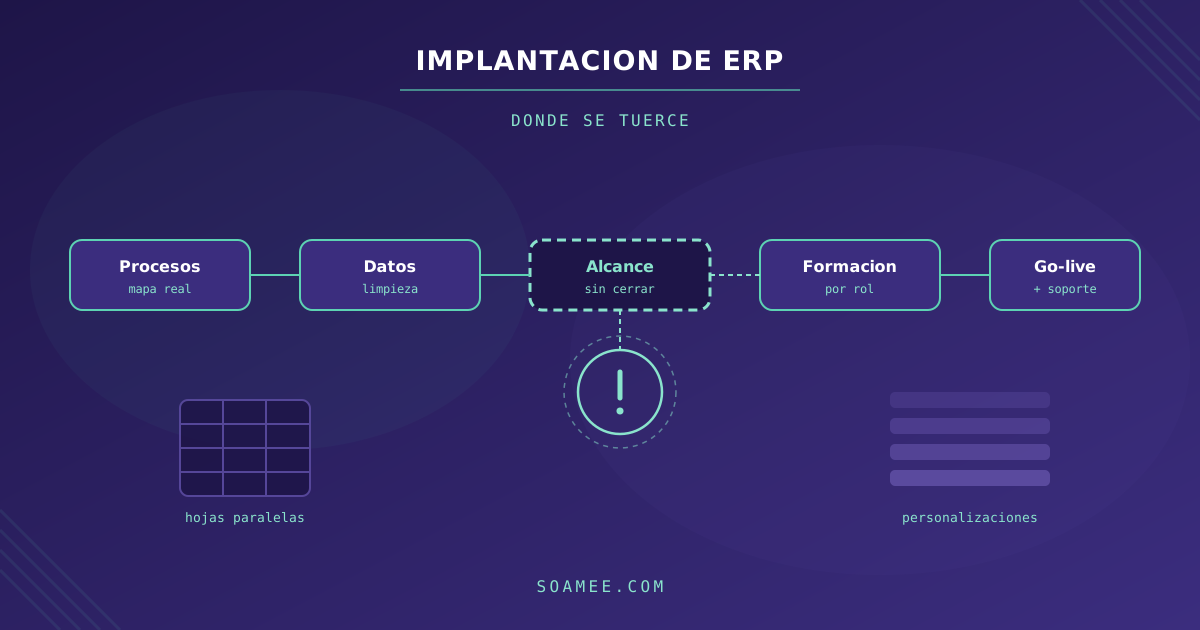
A badly implemented ERP does not show on go-live day: it shows six months later, when the team is keeping a parallel spreadsheet because the system “doesn’t work for what we do”. By then the licence, the consultancy and the migration have all been paid for, and going back costs more than carrying on.
Almost every project that derails does so for the same reasons, and none of them is technical. These are the ten failures that come up most often, and how to spot them in time.
In short: ERP implementations rarely fail because of the software. They fail because of badly defined scope, dirty source data, too much customization, the absence of an internal owner with authority to decide, and training left until the end. These are management problems, and every one of them is avoidable.
1. Starting before mapping the processes
This is the original mistake that most of the others grow out of. The ERP is bought first, and only afterwards does anyone find out how the company actually works — usually halfway through configuration.
The documented process and the real process almost never match. Someone in admin has spent eight years applying an exception that is written down nowhere, and it turns out to cover 30% of the orders.
How to avoid it: spend the first few weeks documenting the real flow — not the one in the manual — from order to cash and from purchase to payment. Sit down with the people who run it every day, not just with the people who manage them. That map is what later lets you decide, with some judgement, what gets standardized and what gets respected.
2. Defining scope as a wish list
Ask every department what it needs and you get two hundred requirements, all of them “essential”. The result is a project that does not fit the budget and gets cut back halfway through, almost always in the place that hurts most.
How to avoid it: sort every requirement into three boxes: blocks the operation, saves measurable time, and would be nice. The first box goes into phase 1, the second is prioritized by hours saved per month, and the third is revisited six months after go-live. Plenty of those requirements fall away on their own once people see the system running.
3. Migrating dirty data
This is the number one cause of delays, and the most underestimated. Nobody wants to admit that the customer master has duplicates, obsolete references and fields typed in by hand to different standards depending on the year.
An ERP does not fix that: it inherits it and amplifies it, because now that record feeds accounting, the warehouse and invoicing all at once.
How to avoid it: audit the data before you sign off the timeline. Count duplicates, gaps and out-of-range values in customers, items and suppliers. Clean at source, and take the chance to archive whatever is no longer used: migrating fifteen years of history nobody ever looks at makes the project more expensive and adds nothing. Our guide on migrating from Excel to an ERP goes into the detail of this phase.
4. Customizing everything from day one
Customization is addictive because in the meeting it always sounds reasonable. The problem shows up at the first product upgrade, when every piece of bespoke development has to be reviewed one by one.
Every customization is paid for three times: when you build it, when you maintain it, and at every upgrade.
How to avoid it: start from the rule of adapting the process to the standard, and customize only when that process is a genuine competitive advantage. If the way you cost your bills of materials is what sets you apart, customize it. If it is the layout of the delivery note, adapt. A useful test: ask what would happen if that process were done the way the rest of the industry does it. If the answer is “nothing serious”, do not customize it.
5. Not appointing an internal owner with decision-making power
The project needs someone in-house who decides when two departments disagree about how a flow should work. If that figure does not exist, every decision escalates to the board and the calendar fills up with waiting.
The related failure is just as common: naming that person and not taking anything off their plate. An ERP project consumes real time, and whoever leads it with an already full workload ends up handling the urgent and postponing the important.
How to avoid it: appoint an owner with authority over processes and assign them an explicit percentage of their working week. Written down, not assumed.
6. Leaving training until the end
It is the easy cut when the budget gets tight: training shrinks to a two-hour session the week before go-live. After that the team learns on the fly, each person in their own way, and wrong ways of using the system get baked in — and they are expensive to correct later.
How to avoid it: train by role rather than by module — each person gets what they will actually use — do it with the company’s real data, and schedule a second session two or three weeks after go-live, which is when the real questions appear. Set that budget aside from the start and protect it.
7. Choosing a big bang go-live you do not need
Switching on every module and every site on the same day is tempting because it looks cleaner. It also means that any problem appears on every front at once, with the whole company watching.
How to avoid it: in small organizations with homogeneous processes, a big bang is manageable. In multi-company, multi-country or manufacturing structures, go live in phases: one module or one site first, stabilize it, then replicate what you learned. It stretches the calendar and cuts the risk enormously.
8. Mistaking go-live for the end of the project
On go-live day the system works, but the organization does not yet. The first few weeks concentrate incidents, questions and adjustments — and that is precisely when the implementation team tends to stand down.
How to avoid it: plan a stabilization phase with reinforced support and a single channel where the team can ask questions without friction. Measure incidents per week: if they do not fall, something in the design does not fit the real operation, and it is worth reviewing before workarounds become the norm.
9. Not integrating the ERP with what already works
An ERP that does not talk to the online shop, the CRM or the POS turns someone on the team into a human bridge copying data from one system to another. That work appears in no budget, and yet it is paid for every month.
How to avoid it: identify the contact points between systems from the start and treat them as part of the scope, not as an extra. Check that the ERP has a documented API, and verify that the integrations you are promised already exist and are running at a real customer. We have done this work both on standard products — for example integrating Odoo — and by building the layer ourselves when the standard fell short.
10. Measuring success by hitting the schedule
Delivering on time a system nobody uses is not a success. Yet the schedule is the only thing many steering committees measure, because it is the easiest thing to look at.
How to avoid it: define two or three business indicators before you start and measure them at three and six months. For example: days to close the books, time from order to delivery note, percentage of orders with an incident. If the ERP works, those numbers move. If they do not move, you have a problem even if the project was delivered on time.
Warning signs during the project
Four symptoms that flag trouble weeks in advance:
| Signal | What it usually means |
|---|---|
| Progress meetings start emptying out | The organization no longer feels the project is theirs |
| Parallel spreadsheets appear during testing | The system does not cover a real flow and nobody has said so |
| Every decision escalates to the board | There is no owner with real authority |
| The customization list grows every week | The scope was never really closed |
How we approach it
At Soamee we always start with the process map and the data audit, before talking about modules. And we say no when what the client needs is a standard product configured well rather than a bespoke build: if your operation fits what already exists on the market, the comparison between Odoo, SAP and Sage for SMEs is a better starting point than any proposal of ours.
Custom development makes sense when the process that differentiates you does not fit the standard product, and the signal is concrete: staff hours spent every month reconciling by hand what the system cannot do. Once that cost exceeds the cost of building it properly, the decision has already been made.
Do you have an implementation under way that never quite takes off, or are you about to start one? Tell us about it and we will give you an honest read on where it is going wrong.