Tenki · Profitability
Know which project makes money and which does not
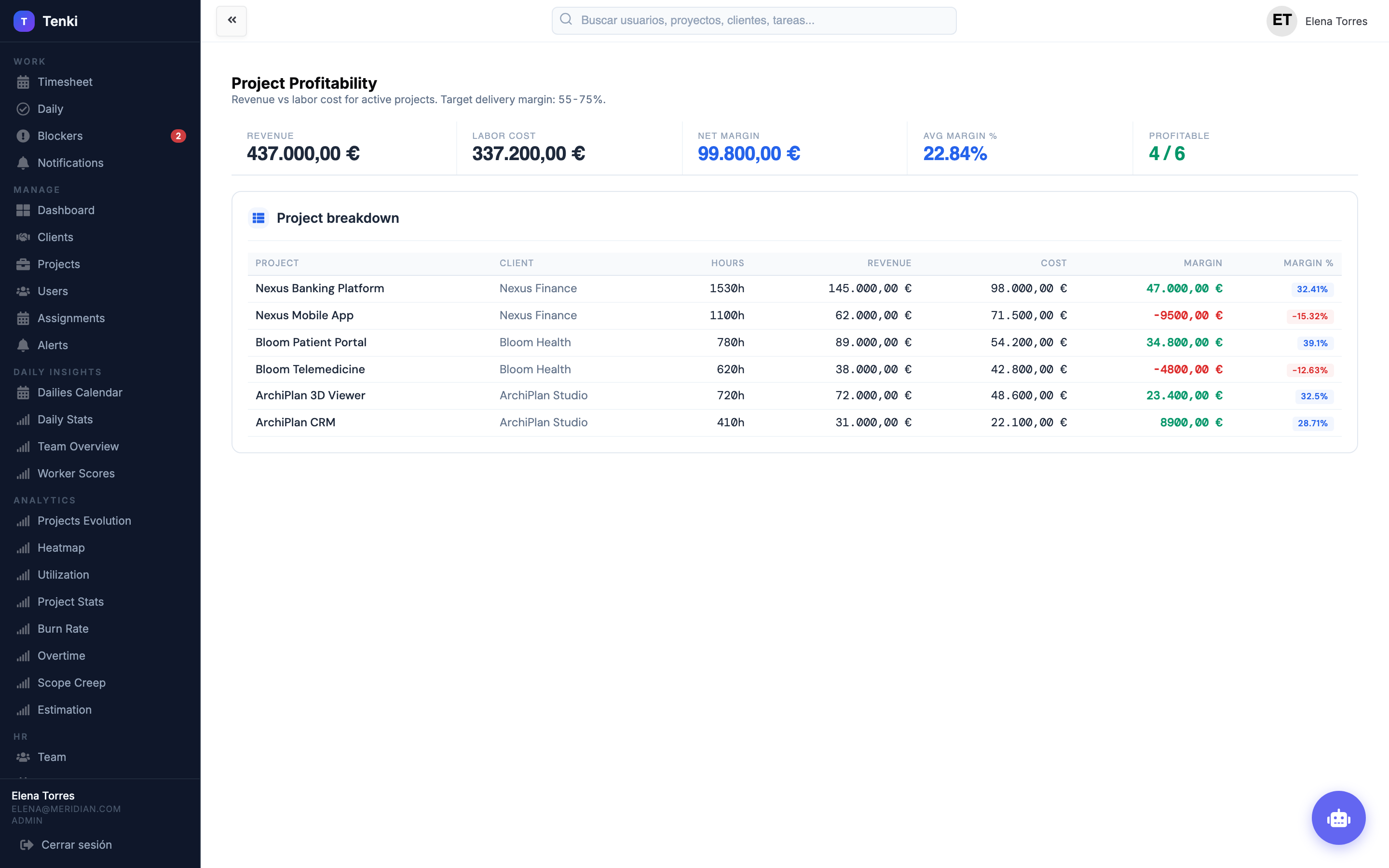
With each person’s cost, Tenki works out what every project has cost and compares it with what was invoiced. Loss-making projects are flagged in red.
Margin
Revenue against the team’s cost
The hourly cost comes from gross annual salary and contract type. Tenki applies it to the hours logged and compares the result with each project’s invoices.
- Margin per project, client and period
- Loss-making projects flagged in red
- Lists of projects with negative margin or over budget
Team
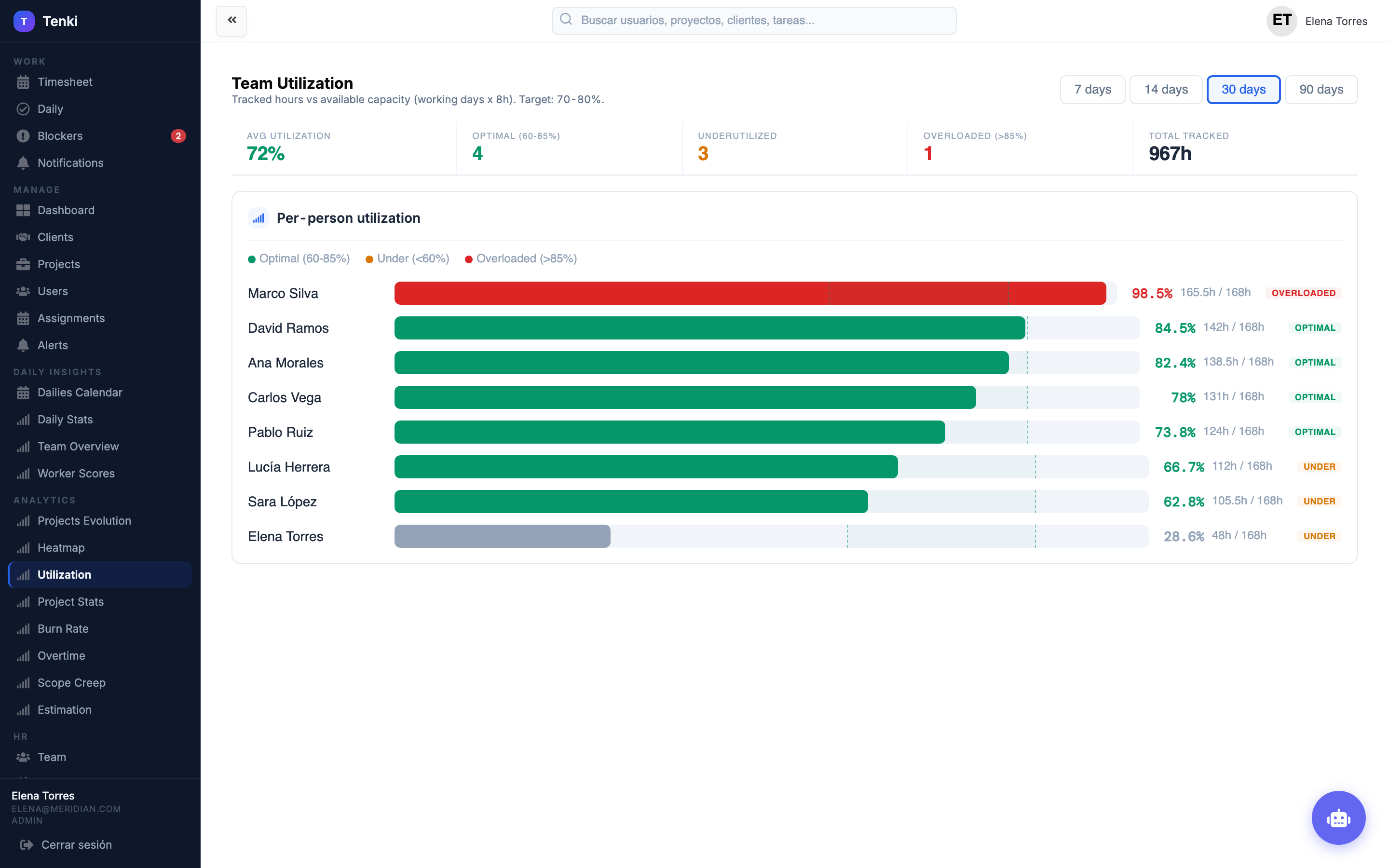
Who has room and who is overloaded
Hours logged against available hours per person, and alerts for people above 40 hours a week.
- Utilisation: logged against available hours
- People above 40 weekly hours
- Open blockers of the team
Project drift
Estimates against reality
The analytics views show how each project consumes its hours, how its scope moves and how accurate the estimates were.
- Burn rate per project
- Scope creep
- Estimated versus actual hours
Want to see your projects’ margin in Tenki?
Features, FAQ and access request are on Tenki’s site.
tenki.soamee.com (site in Spanish)FAQ
Frequently asked questions
Who can see margins and costs?
Only administration. Each role sees what it needs: salaries, costs and margins are restricted to admins.
How does Tenki calculate a person’s cost?
From gross annual salary and contract type, which give the hourly cost applied to the hours logged.
What billing models does a project support?
Hourly, fixed price, monthly fee and hour bank.
Margin and analytics per project | Tenki
Tell us your challenge. We'll propose a solution.
No commitment. We reply within 24 hours, and within 48 hours you have a proposal with scope, timeline and budget. No fine print.