Tenki · Hours
Hours logged where they belong: in each task
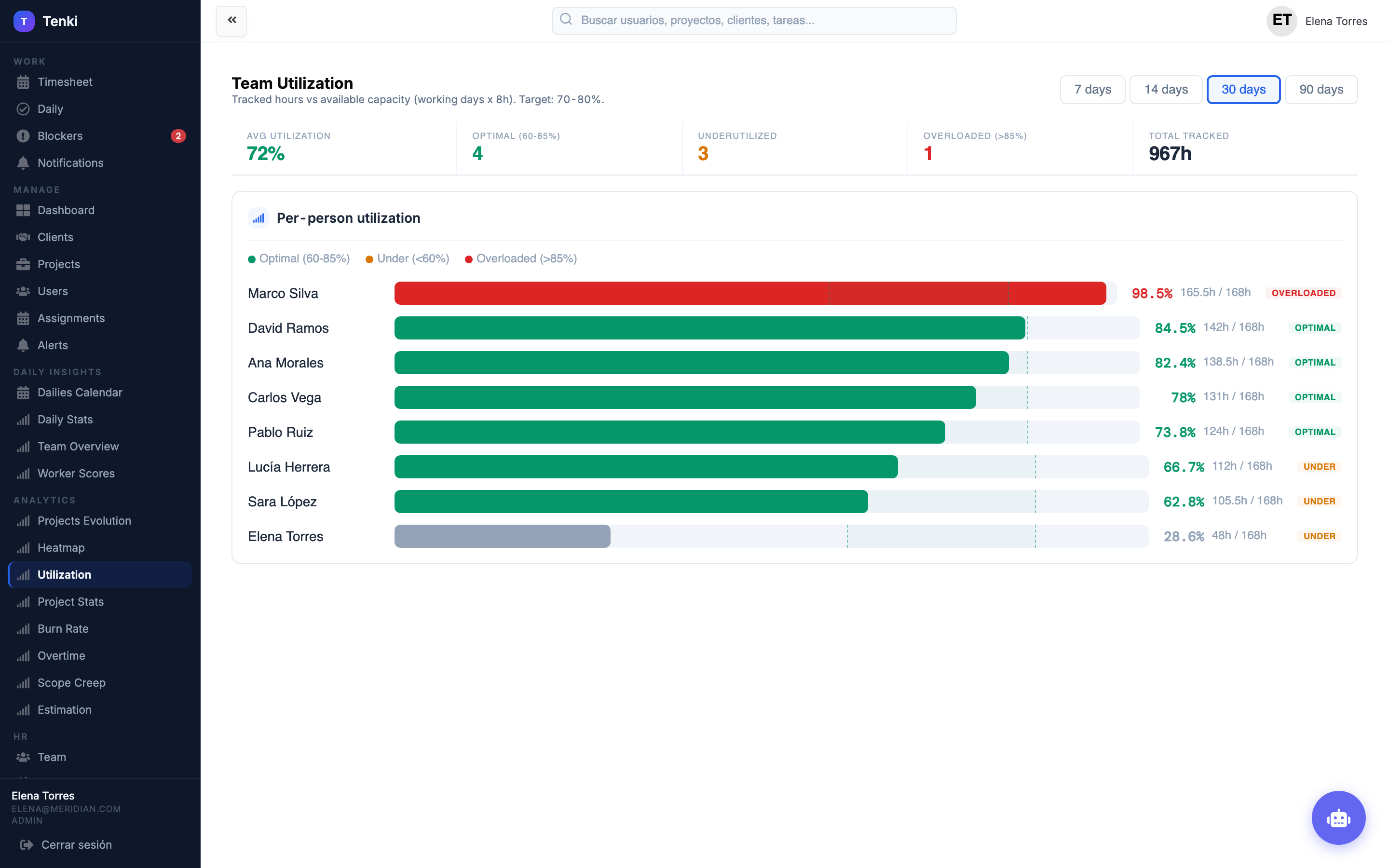
Each person logs their time by project and task. Tasks carry an estimate, so you see straight away which one is running over. Tenki reminds whoever has not logged their hours.
Timesheet
Every hour, in its task
The weekly timesheet is organised by project and task. Tasks have an estimate and Tenki warns when one goes over it.
- Timesheet by project and task
- Warning when a task exceeds its estimate
- Assistant to log or correct hours by typing
Reminders
Nobody has to chase the team
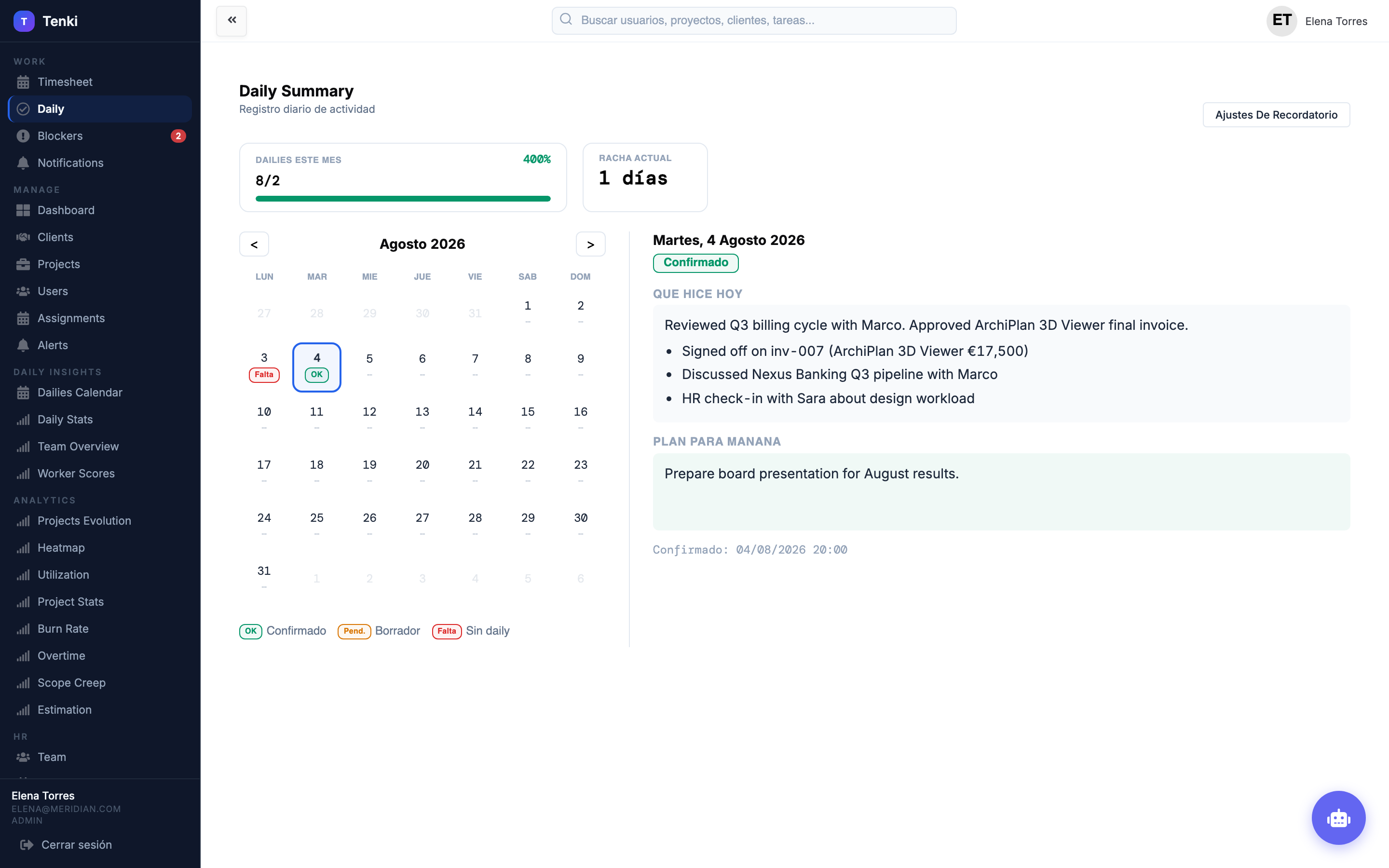
If someone goes two working days without logging hours, Tenki sends them an email reminder.
- Email reminder after two working days without hours
- Daily note: what I did, blockers and plan for tomorrow
- Calendar of who has left their daily
Planning
Who is on which project each week
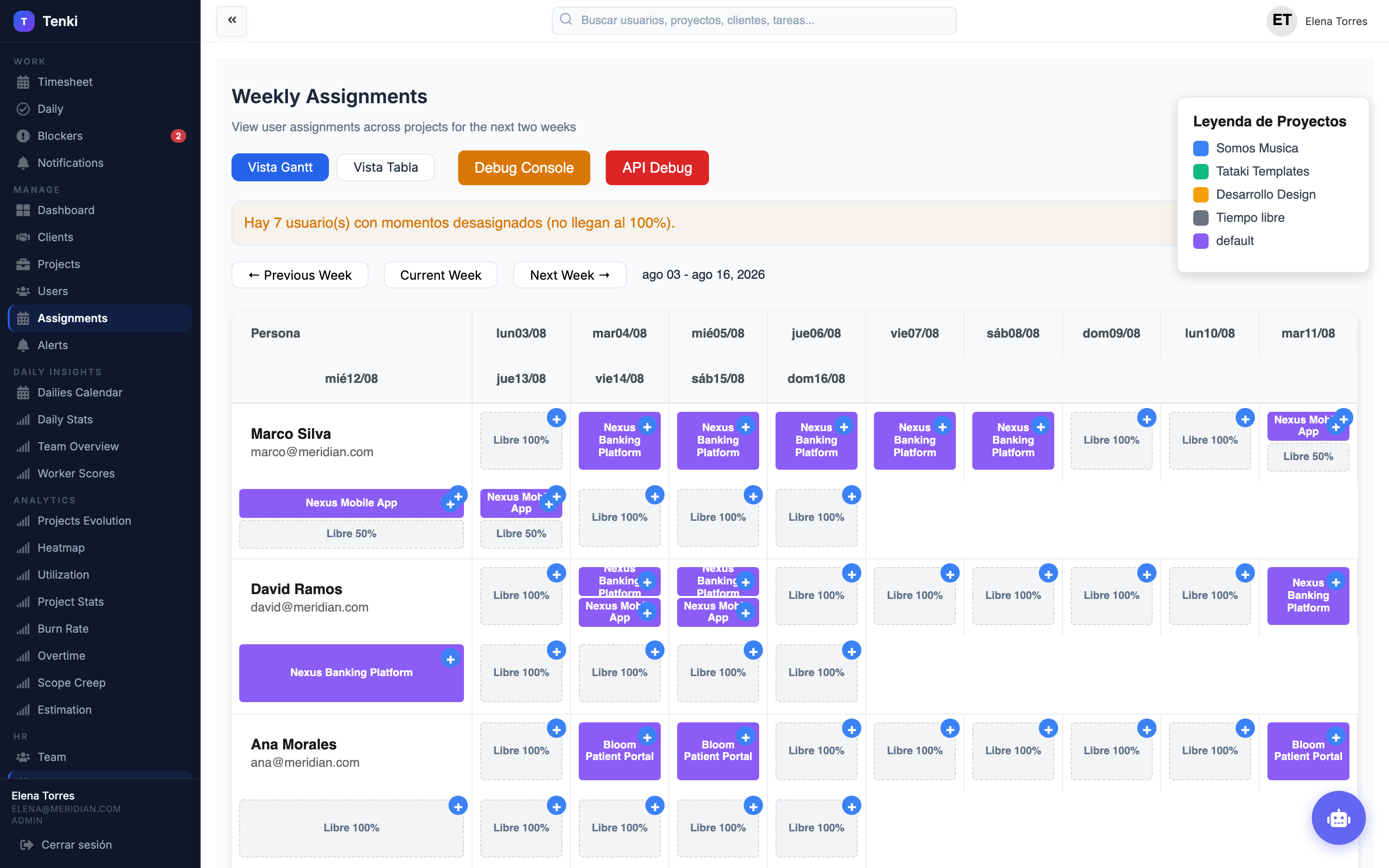
Weekly assignments per person, copied to the following week on Fridays, and a report every Monday with the next two weeks.
- Weekly assignments per person
- Monday report of the next two weeks
- Hours logged against available hours, and alerts for long weeks
Want to see your team’s hours in Tenki?
Features, FAQ and access request are on Tenki’s site.
tenki.soamee.com (site in Spanish)FAQ
Frequently asked questions
Can people log hours by typing?
Yes. An assistant in the dashboard lets each person log, correct and check their hours in plain language.
What happens if someone forgets to log hours?
After two working days without logged hours, Tenki sends that person an email reminder.
Is there a mobile app?
No. Tenki is a web application used from the browser.
Time tracking by project and task | Tenki
Tell us your challenge. We'll propose a solution.
No commitment. We reply within 24 hours, and within 48 hours you have a proposal with scope, timeline and budget. No fine print.